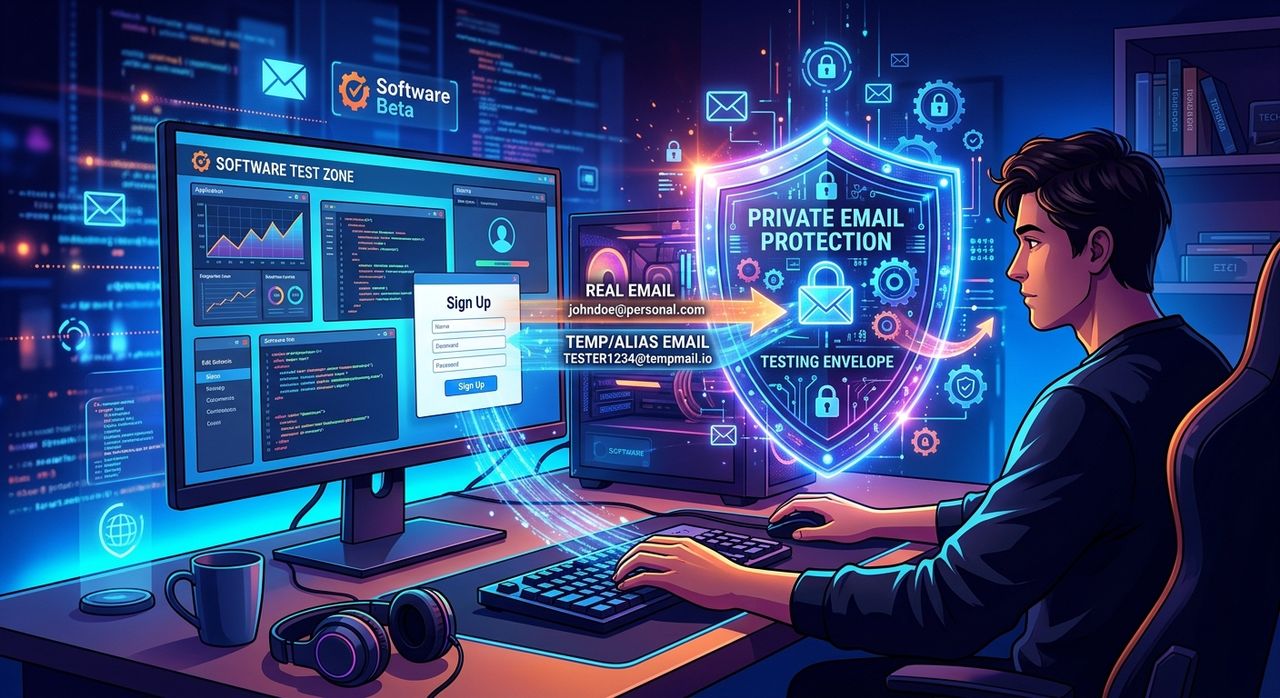
You find a great-looking app. It promises to clean your registry, boost your frames, or compress your photos in seconds. All you need to do is enter your email address to start the free trial. You type it in. Three days later, your inbox looks like a yard sale flyer from every company that has ever bought a list.
Privacy Check: Three things worth knowing before you read on:
1. Every software trial you sign up for with your real address adds it to a database that can be sold.
2. A disposable email address takes seconds to create and costs nothing.
3. You can grab an anonymous inbox right now, before you even finish this article.
This is a story most Windows users know by heart. The cycle repeats every time there is a new browser extension to try, a freeware download to grab, or a tech newsletter that promises insider tips. Your real email address becomes a liability. The good news is that fixing this habit takes about thirty seconds and costs zero dollars.
Why Your Inbox Fills Up So Fast
Software companies have a business model that does not always revolve around selling software. Many freeware developers and trial-ware publishers treat email addresses as the product itself. When you sign up for a free trial, that address often ends up in a marketing list. That list gets shared with partners, sold to advertisers, or scooped up by data brokers.
Data brokers are companies that aggregate personal information, including your email address, and sell it to anyone willing to pay. Once your address enters that ecosystem, it is nearly impossible to get it out. You can unsubscribe from one sender, but the data broker still has your address and can sell it a hundred more times.
The volume compounds over time. A Windows power user who downloads a dozen tools per year, signs up for two or three tech newsletters, and tries a handful of free trials can easily generate fifty or more unsolicited emails per week from those habits alone.
What Actually Happens to Your Email Address
When you hand over your address to download a piece of software, a few different things can happen, and most of them work against you.
- The company sends you a confirmation email and nothing else. This is the rare, polite outcome.
- The company enrolls you in a weekly promotional list without asking clearly.
- The company sells or shares your address with third-party advertisers.
- The address gets scraped from a data breach if the company's systems are ever compromised.
- The address is added to a data broker database and associated with your other online activity.
Most of the time, you are not dealing with just one of these outcomes. You are dealing with several simultaneously. The confirmation email arrives, and so do the weekly promotions, and so does the surge of unrelated spam three months later when your address shows up on a purchased list.
The Disposable Email Solution
A disposable email address is a temporary inbox that receives confirmations and download links without ever connecting back to your real identity. You use it once, grab whatever you need, and walk away. No account required. No password to remember.
This is not a new concept, but it has become dramatically easier to use in recent years. The services that offer temporary inboxes have gotten faster, more reliable, and genuinely friction-free to access. You open a page, get an address, copy it, and paste it into whatever form is asking for your email.
When the confirmation link arrives, you click it from the temporary inbox. When the trial period ends and the marketing emails start, they go nowhere near your real address. The throwaway inbox eventually expires, and the whole connection disappears with it.
How to Use a Temporary Inbox on Your Next Download
Here is the workflow that fits naturally into any PC software trial or freeware download:
- Before you visit the download page, open a new browser tab and pull up a temporary inbox service.
- Copy the address that gets generated automatically for you.
- Return to the software site and paste that address into the email field.
- Complete the download or sign-up form as usual.
- Check the temporary inbox for any confirmation email or download link.
- Click what you need, then close the tab and move on.
That is the entire process. Your real email address never enters the picture. The software company gets a valid address that can receive their confirmation, and you get a clean inbox. No friction, no account setup, no ongoing commitment.
The Real Cost of Not Doing This
People resist this habit because it feels like an extra step. The reality is that skipping a throwaway address has a measurable long-term cost.
Think about how much time you spend unsubscribing from emails you never wanted. Think about how often you miss something important because it got buried under promotional noise. Think about the mental overhead of scanning fifty irrelevant messages to find the two that actually matter.
The Federal Trade Commission has documented how email addresses function as a persistent identifier in data broker systems, connecting a person's online and offline behavior across multiple databases. Once that identifier is out there, pulling it back is not a realistic option.
The throwaway address approach does not just protect your inbox. It limits the digital footprint you leave every time you try out a new tool. Every form you fill with a temporary address is one fewer thread connecting your real identity to a third-party marketing system.
When a Throwaway Address Is the Right Call
Not every situation calls for a temporary inbox. If you are creating an account you plan to keep, like a password manager, a cloud backup service, or a software license tied to your name, you want a real address so you can recover access later.
For software trials, though, a throwaway address is exactly right. The same logic applies to freeware downloads that want your email before they give you the installer. Any newsletter signup where you are not certain you will want to keep receiving it is another strong candidate. If the relationship is likely to be one-way and short-term, use a temporary address. If you genuinely want an ongoing account you can log back into, use your real email.
The Windows User Angle
PC users have a particular relationship with freeware and trial software. The Windows ecosystem has always had a rich selection of free tools, from registry cleaners and partition managers to video converters and system monitors. Many of them are genuinely useful. Many of them also require an email address to unlock the download or activate the trial period.
This is not a character flaw in the software or the people who make it. It is just how a lot of small software publishers sustain themselves. Understanding that helps you approach the situation without frustration. You do not have to refuse to try useful software. You just need a separate address for that layer of activity.
Creating that separation takes thirty seconds. Maintaining it costs nothing. The payoff is an inbox that actually reflects your real correspondence instead of a junk pile of trial reminders and third-party promotions.
Your Inbox Is Worth Protecting
The habit of protecting your real email address from software trials is one of the simplest privacy habits a Windows user can adopt. It does not require technical knowledge. It does not require paying for a service. It does not require any ongoing discipline once the habit clicks into place.
Your inbox is one of the most personal corners of your digital life. The email address tied to your bank, your family, your work, and your long-standing accounts deserves better than being handed to every freeware installer you cross paths with. A temporary address creates a clean line between the software you are testing and the identity you are protecting.
Thirty seconds. Zero cost. A cleaner inbox starting with your next download.