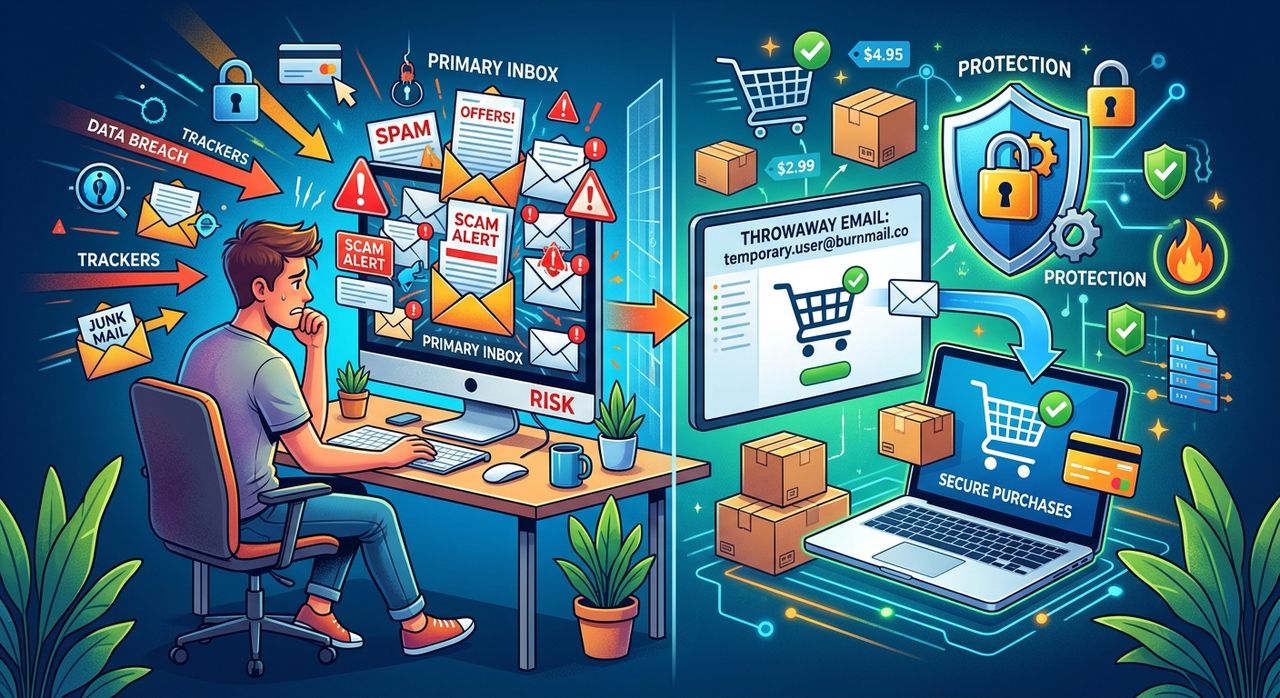
You sign up for a 10% discount. You type in your email address, confirm the coupon, and move on. Two weeks later, your inbox has become a daily newsletter from four different brands you have never heard of. Sound familiar? This pattern plays out for millions of online shoppers every time they buy something, sign up for price alerts, or create a store account. The good news is that one small habit change, using a throwaway email address at checkout, can stop the whole cycle before it starts.
Your real email address is more valuable to retailers than you think. Every time you hand it over at checkout, you risk being added to marketing lists, cross-sold to partner brands, and targeted by phishing attempts that look convincingly like legitimate order confirmations.
- Retailers routinely sell or share customer email lists with third-party marketing partners.
- A single purchase can trigger sign-ups to dozens of related mailing lists you never agreed to.
- Phishing scammers specifically target shoppers with fake "order update" emails designed to steal credentials.
Your Email Address Is a Commodity, Not Just a Contact Detail
Most PC users think of their email as a private communication channel. Retailers see it differently. The moment you share your address, it becomes a database entry tied to your purchase history, browsing behaviour, and demographic profile. That data has real commercial value.
Research on email spam confirms that the majority of all email traffic worldwide is unsolicited bulk mail. A significant slice of that comes not from shadowy criminals but from perfectly legal, opt-in marketing pipelines that started when someone, possibly you, typed their address into a checkout form.
This is not just annoying. It creates real risk. When your primary email is spread across dozens of retailer databases, each one becomes a potential leak point. A data breach at a mid-size clothing store can expose your address to credential-stuffing attacks, phishing campaigns, and social engineering attempts, all because you wanted free shipping on a pair of socks.
What Retailers Actually Do With Your Email at Checkout
The checkout screen makes it feel like your email is needed purely for order confirmation. In most cases that is true, but only for about 30 seconds. After the confirmation goes out, the address is typically added to a CRM system where the retailer's marketing logic takes over.
Here is the common sequence:
- You enter your email and complete the purchase.
- The retailer sends a confirmation email, usually the only one you wanted.
- Your address is added to their general marketing list.
- You start receiving newsletters, sale alerts, and re-engagement emails on a schedule you never agreed to.
- If the retailer runs affiliate or partner programs, your address may be shared with related brands.
- Your email appears in segmentation lists used to model audiences for paid advertising on social platforms.
- If the retailer suffers a breach, your address is now part of the leaked dataset.
That seven-step sequence can happen entirely in the background, without any additional action from you. The only way to prevent it is to not give them your real address in the first place.
Why a Throwaway Email Is the Simplest Fix Available
A disposable email address is a randomly generated address that forwards to nowhere or to a temporary inbox you can check once. You use it at checkout, receive your confirmation, and then abandon it. The address expires or simply sits unused, and no future emails from that retailer can reach your real inbox.
The concept is not new. Disposable email addresses have been a privacy tool since the early 2000s, and the approach has only gotten more accessible as browser-based tools have improved.
The key advantages for PC shoppers specifically:
- No browser extension required. Generate an address in a separate tab, copy it, and paste it into the checkout field in seconds.
- No account creation. Most disposable email services require nothing from you, not even a name.
- Works on any PC browser, whether you use Chrome, Firefox, Edge, or anything else.
- Keeps your primary inbox reserved for people and services that actually matter to you.
- Reduces the attack surface for phishing, because scammers sending to a dead address can never reach you.
If you want a practical starting point, the shopping emails guide walks through exactly how to apply this approach at common retail checkouts, step by step.
Understanding the Spam Protection Angle
Spam is not purely a nuisance problem. For privacy-conscious PC users, it represents a signal-to-noise problem with security consequences. Every extra email in your inbox from a brand you barely recognise is another potential phishing vector. Scammers deliberately design fake order updates, delivery notifications, and account alerts to blend in with the legitimate retail emails you already expect.
This is where spam protection becomes a broader security discipline rather than just a cleanup task. When your real inbox is clean and only contains mail you intentionally subscribed to, anomalies stand out. A fake "your package is delayed" email from a retailer you have never purchased from is immediately suspicious. But when your inbox already contains 40 similar emails from brands you barely remember, you might click without thinking.
Disposable emails help here because they break the chain entirely. The phisher has to know your real address to target you with a convincing decoy. If your real address was never at that retailer, the phisher has no plausible angle.
Where Disposable Email Fits in a Broader PC Security Setup
PC users who take cybersecurity seriously tend to run a layered approach. A password manager handles unique, complex credentials for each site. A browser extension like uBlock Origin cuts down on ad tracking. Two-factor authentication protects the accounts that really matter. A VPN covers your network traffic when shopping on public Wi-Fi.
A throwaway email fits naturally into this stack as the outermost layer. It is the step that keeps your real identity out of retailer databases entirely, before any of the other tools need to kick in. If your email address is never associated with a given store, there is nothing to breach, nothing to leak, and nothing to phish.
This positions disposable email not as a paranoid extreme but as the low-effort, high-reward habit that complements everything else you are already doing. It costs you about 15 seconds per checkout. The return is a cleaner inbox, a smaller digital footprint, and one fewer database holding your contact details.
The Checkout Habit That Actually Sticks
Building any new security habit is easier when the friction is low. Disposable email has almost none.
The next time you shop online and reach the email field at checkout, open a new tab, generate a throwaway address, paste it into the field, and keep going. Do the same thing when a pop-up offers you a discount in exchange for your email. Or when a wishlist feature asks you to sign in with no clear benefit to you.
Over time, your primary email address becomes something close to private again. The people who have it are the ones you have deliberately chosen to give it to. Your inbox goes back to being a communication tool rather than a marketing channel you cannot escape. For PC users who shop online even occasionally, that shift is worth every second of the small extra step it requires.